How Space-A+ Works
A complete walkthrough of every feature on the site — from eligibility to boarding-odds insights — plus why we built it and how the data stays fresh.
Why Use Space-A+
There's a huge wealth of Space-A knowledge in the community — across Facebook groups, Reddit threads, AMC's own pages, and the hard-won experience of travelers who've been doing this for decades. The admins and top contributors in those communities are remarkably knowledgeable and generous with their time, and they remain the best place to ask nuanced questions and read trip reports.
The challenge isn't that the information doesn't exist — it's that it's fragmented across hundreds of sources, and the live schedule data is split across 40+ separate terminal PDFs, each with its own format and update cadence.
Space-A+ isn't here to replace any of those communities. It's here to augment them — to consolidate the live data, the historical roll-call record, and the cross-terminal patterns into one place that's easy to search, filter, and get notified from.
- Live Data, Every 10 Minutes
Our pipeline polls every tracked terminal's PDF directory every ten minutes, parses new schedules within seconds, and writes them to the live board. No manual refresh.
- Alerts That Actually Fire Fast
Push notifications land within minutes of a flight posting. Email and SMS for premium. Saved routes mean you only get pinged about flights you'd actually take.
- Boarding-Odds, Computed from History
Every flight gets a probabilistic boarding-odds score derived from this terminal's roll-call clearance rates for this route at this time of year — a data-driven complement to the experience-based advice you'll find elsewhere.
How the Data Stays Fresh
The whole product rests on one workflow:
- 1Poll. A worker checks every tracked AMC terminal's PDF page on a 10-minute cadence. New or updated PDFs are downloaded and content-hashed so we never reprocess an unchanged file.
- 2Parse. Each terminal has its own parser tuned to that terminal's specific PDF layout (Ramstein doesn't look like Travis, and Travis doesn't look like Yokota). Rows are validated against a strict schema; anything ambiguous lands in a quarantine queue for human review instead of going live with bad data.
- 3Publish. Validated rows write to the live database and trigger any matching alerts (saved routes, destination watches, terminal subscriptions). The Browse Flights board and every terminal page refresh within the next minute.
- 4Archive. Every flight gets archived once the date passes — with the roll-call result, lowest selected category, and competing-pax count. This historical record is what feeds the boarding-odds predictions you see on every flight.
Every flight row on the site is one click away from its source PDF, so you can always verify the underlying data yourself.
Step-by-Step: Every Feature
Seven features, each with what it does, how to use it, and a link straight to it. Skim the headings or read straight through.
- 1
Confirm Your Eligibility
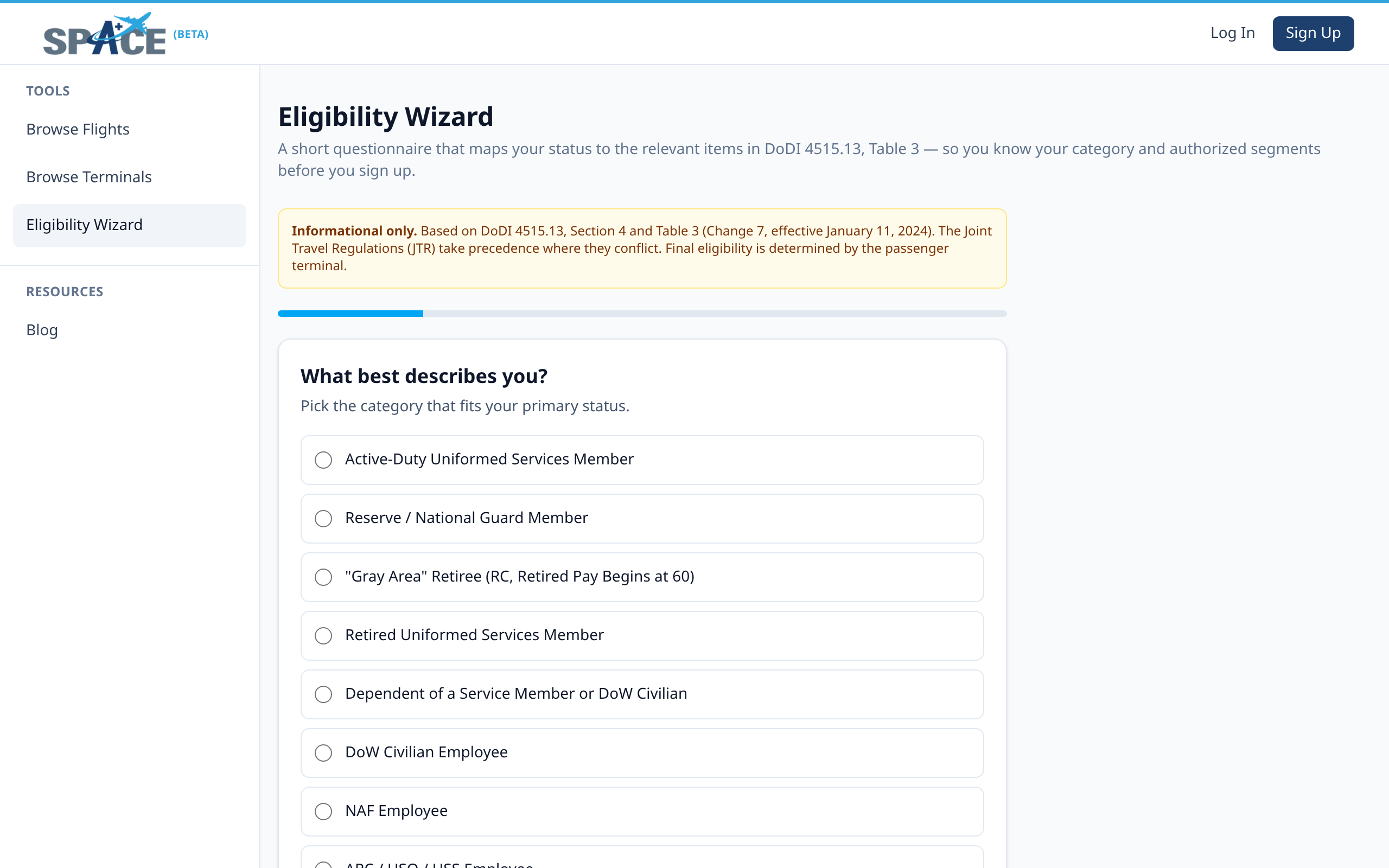
Space-A is governed by DoDI 4515.13 and the priority categories I–VI. Before you build a trip, run the eligibility wizard — it asks a short series of questions and tells you which category you qualify under, whether your dependents can travel with or without you, and any restrictions tied to your status.
- 1Open the Eligibility Wizard from the sidebar.
- 2Pick the option that best describes your primary status (active duty, retired, dependent, DoD civilian, EML, etc.).
- 3Answer the branching follow-ups. The wizard maps you to your DoDI 4515.13 Table 3 category and authorized segments.
- 4Save the result to your profile so the flight board can filter to routes you're actually eligible for.
- 2
Plan a Trip
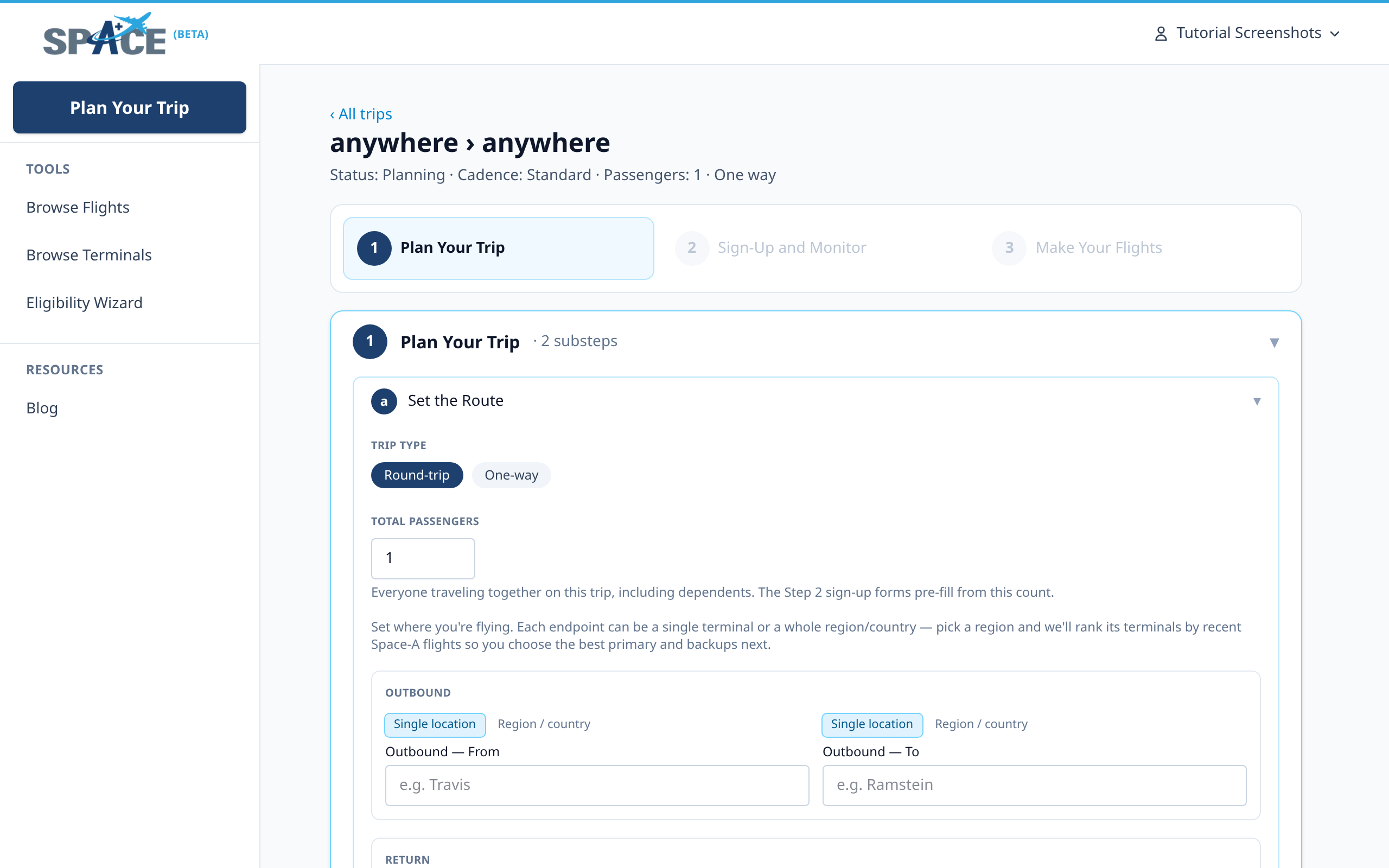
The trip planner is the heart of Space-A+. You give it your origin, destination, and travel window — it walks you through three top-level steps (Plan Your Trip, Sign-Up and Monitor, Make Your Flights) with substeps for each, stitches together possible direct and multi-leg routes across all 40+ terminals, and gives you a single living plan you can come back to until you fly. Historical route insights (flight cadence, fill rates, day-of-week distribution, and a year-ago comparison for your travel window) are rendered inline at the dates substep — no separate detour to look them up.
- 1Click Plan a Trip in the top-left of the sidebar.
- 2Pick round-trip or one-way, total passengers, and your outbound from/to. You can pin a single terminal or pick a whole region / country and let the planner rank candidate terminals.
- 3Move through the stepper: Set the Route → Sign-Up and Monitor → Make Your Flights. Each substep links out to the right place (sign-up email, flight board, inline insights).
- 4The trip stays saved under My Trips so you can return to it any time and pick up where you left off.
- 3
Save the Routes You Watch
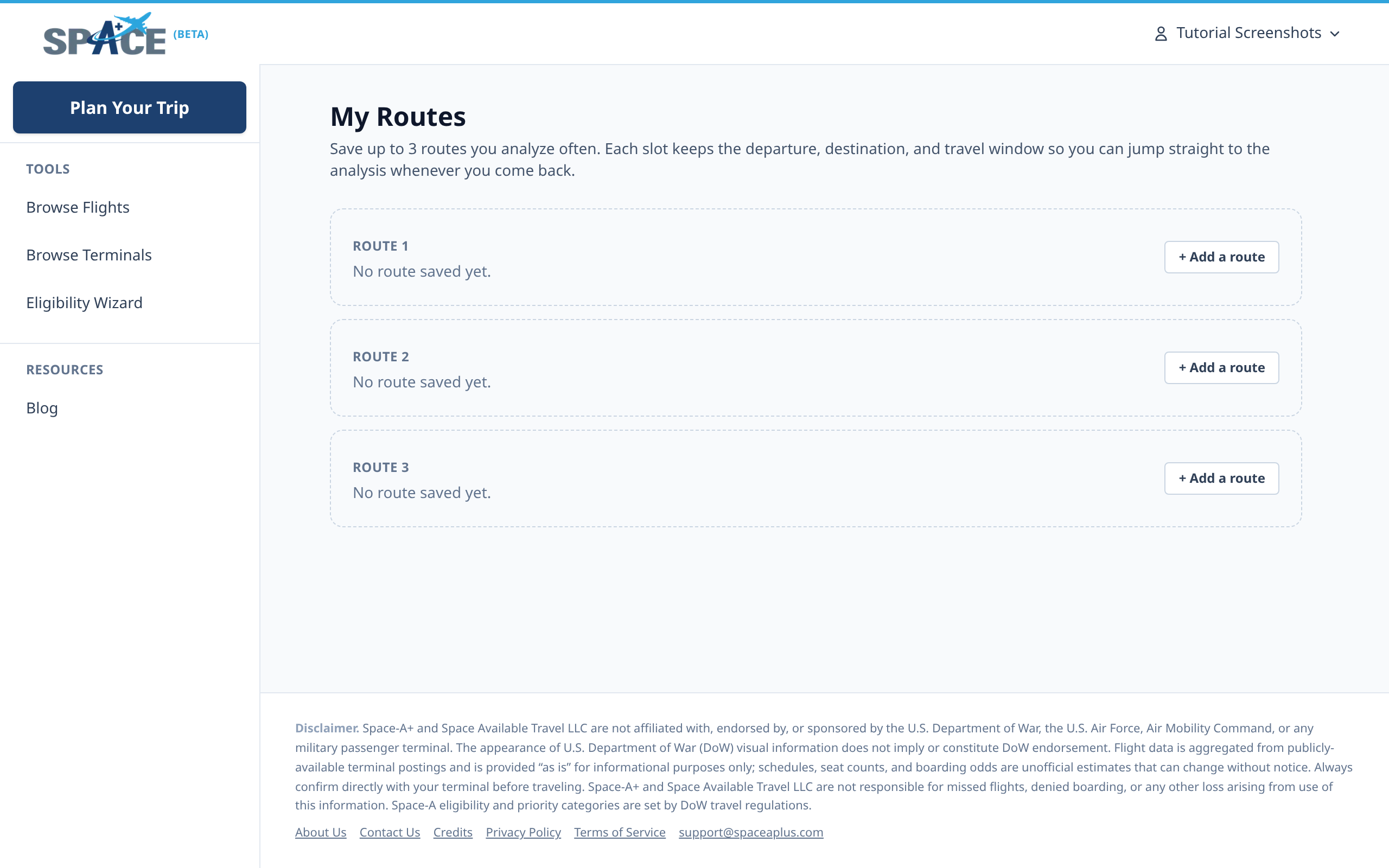
If you regularly fly the same pair (say Norfolk → Rota, or Travis → Hickam), save it. Each account gets three saved-route slots — each one keeps the departure, destination, and travel window so you can return to its historical analysis or the filtered flight board without re-entering the form every time.
- 1Open My Routes. You'll see three numbered route slots.
- 2Click "Add a route" on any empty slot. Pick departure, destination, and an optional travel window.
- 3Saved routes show the same inline historical analysis you see in the trip planner, become one-tap launchers into the matching slice of the flight board, and (with your phone set in the profile) are what alerts fire from.
- 4
Wire Up Alerts and Your Profile
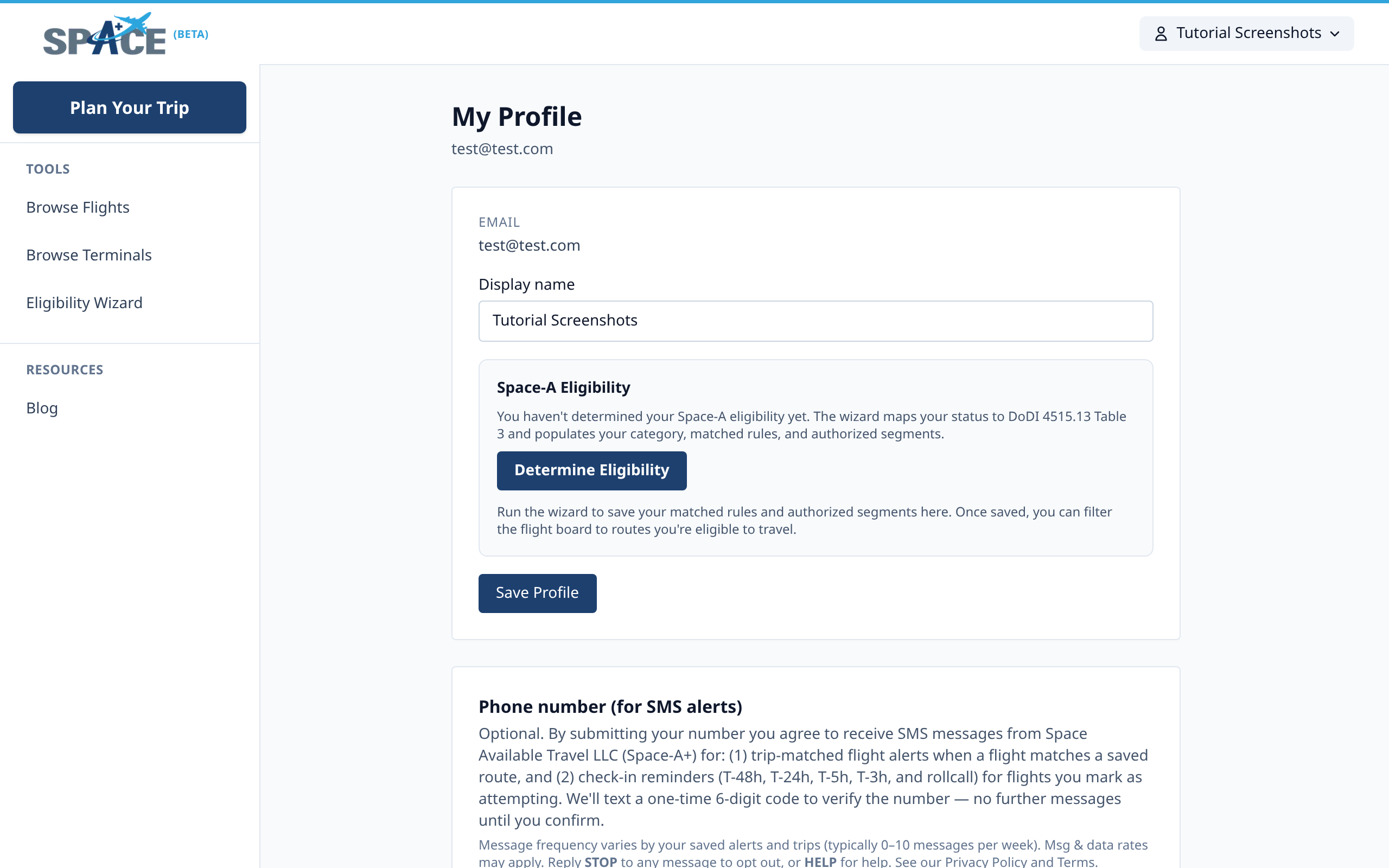
Alerts are where Space-A+ saves you time — get pinged the moment a relevant flight posts so you don't have to refresh every terminal page yourself. Profile is your notifications surface — it's where you enter the phone number we'll send SMS check-in reminders to (T-48h, T-24h, T-5h, T-3h, and roll-call), set your display name, and run the Space-A eligibility wizard. Once your phone is verified, alerts fire from your saved routes and from any flight you mark as attempting.
- 1Open your Profile.
- 2Add the phone number we should text. We send a one-time 6-digit code to verify — no further messages until you confirm.
- 3Run the eligibility wizard from this page if you haven't already. The result wires the flight board's eligibility filter to your category.
- 4Per-route alerts live on your saved routes and per-flight check-in reminders fire automatically once you mark a flight as attempting.
- 5
Browse Every Flight in One Place
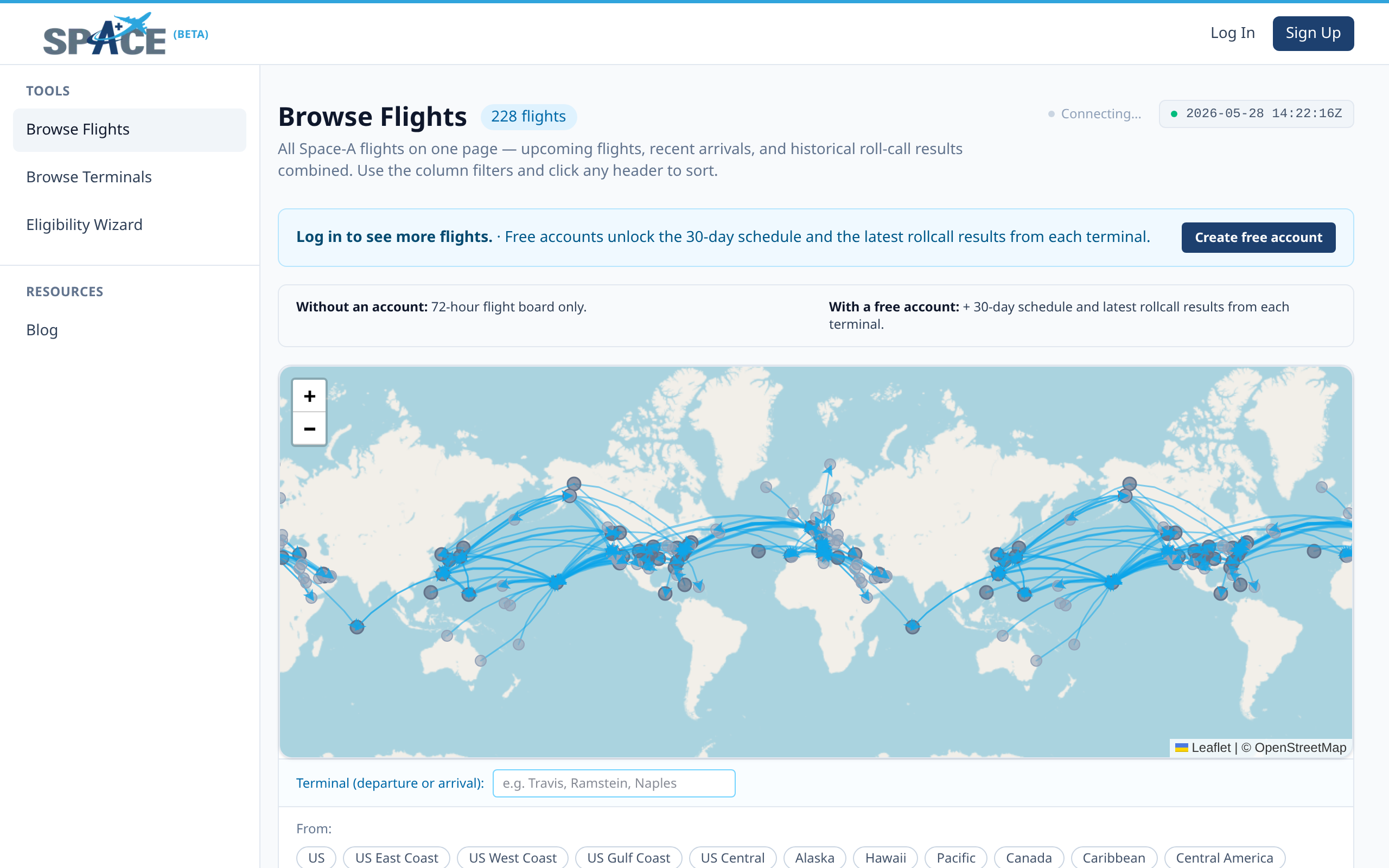
The flight board is the single live view of every Space-A flight on Space-A+ — upcoming 72-hour departures, recent arrivals, the 30-day Patriot Express schedule, and historical roll-call results, all combined in one filterable, sortable table. The world map up top is interactive: click a terminal to filter, or pick a region (US East Coast, Pacific, Caribbean, …) from the chips below.
- 1Open Browse Flights — the default view shows the next 72 hours from all terminals on the world map.
- 2Click a terminal pin on the map, or use the region chips, or type a terminal name into the filter to narrow.
- 3Use the column headers to sort by date, departure, destination, or seats. The table updates within ten minutes of any terminal posting a new PDF.
- 4A free account unlocks the full 72-hour board and the 30-day Patriot Express schedule. Latest arrivals and the full roll-call results history are Premium.
- 6
Browse Terminals & Read the Terminal Guides
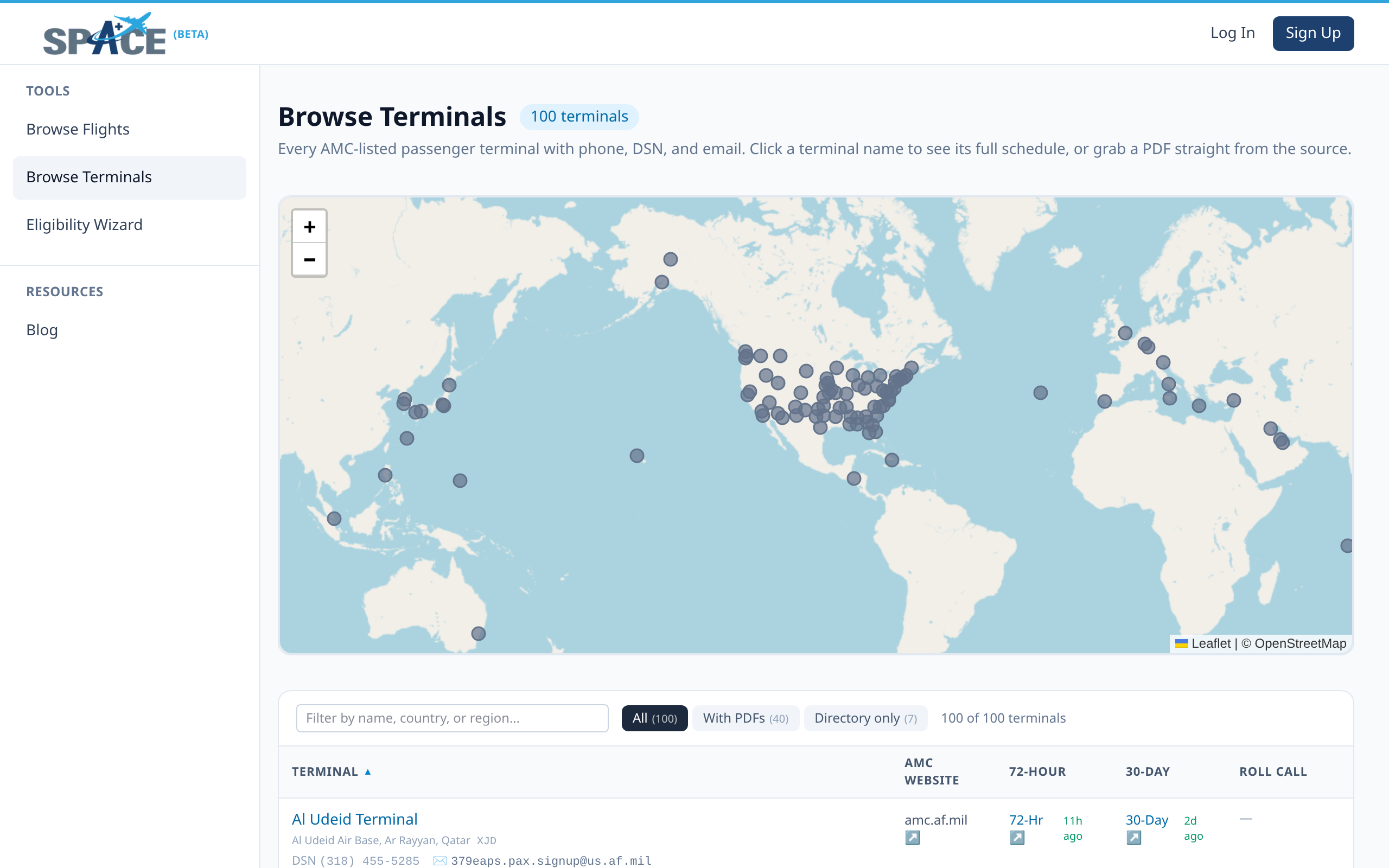
Each of the 100+ AMC-listed passenger terminals has its own directory entry — phone, DSN, sign-up email, AMC website link, and direct links to the live 72-hour board, 30-day schedule, and roll-call history filtered to that terminal. The big ones (Travis, Ramstein, Norfolk, Yokota, etc.) have a full Terminal Guide built from community trip reports plus verified phone calls — lodging, transport off-base, sign-up procedure, USO hours, building quirks.
- 1Open Browse Terminals for the directory + world map.
- 2Use the search box to filter by name, country, or region. Or click a terminal pin on the map.
- 3Pick a terminal to land on its dedicated page: live flights, the 30-day schedule, the full Terminal Guide, and roll-call history.
- 7
Read the Blog
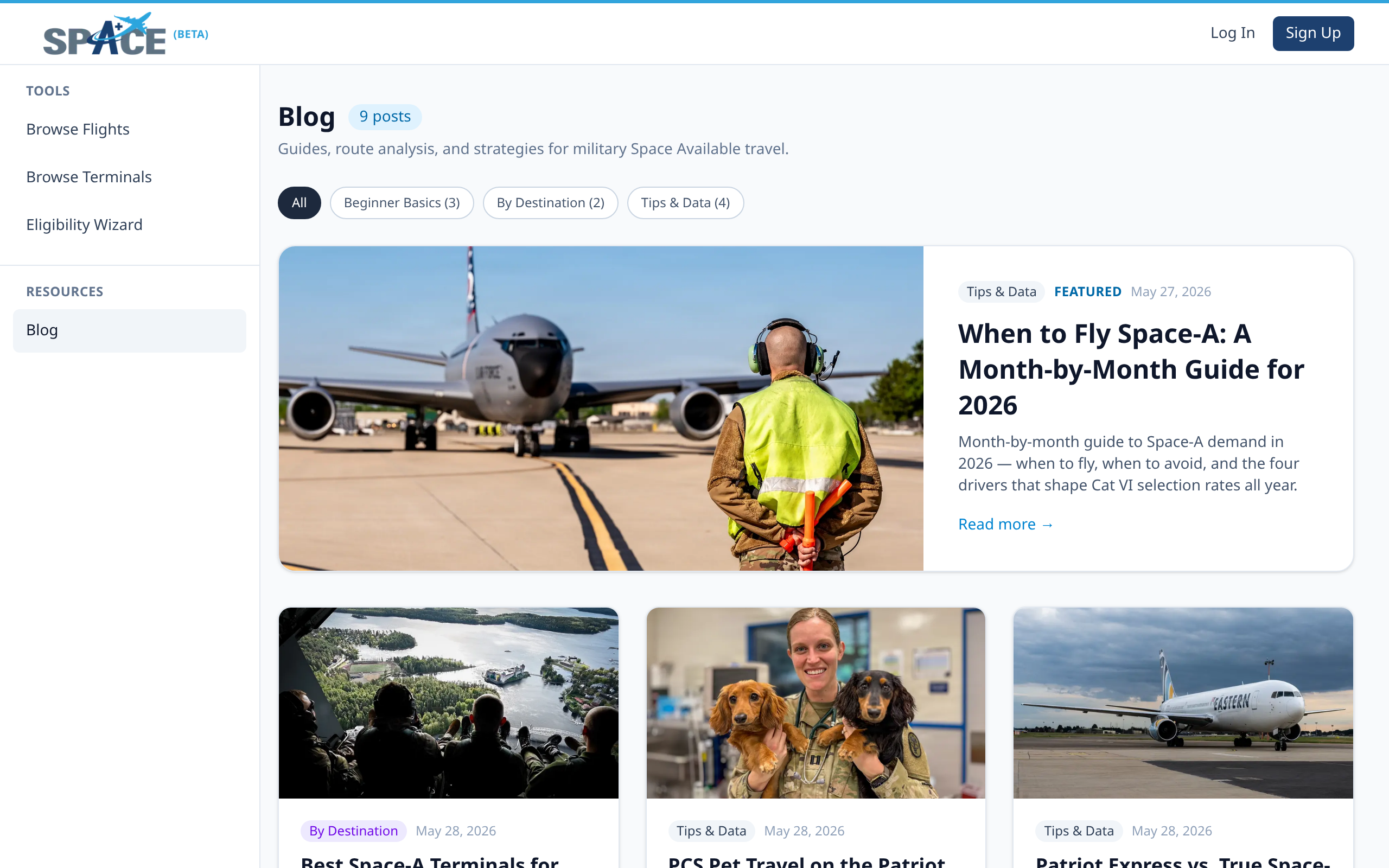
The blog is where we publish trip reports, route guides, seasonal travel windows (PCS season, DoDEA breaks, holidays), and data-driven posts that mine our own roll-call history. Think of it as a complement to the trip reports you'll find in community groups — same kind of practical, ground-truth content, with the added angle of cross-terminal patterns drawn from the historical data we already collect.
- 1Open the Blog. The featured post sits at the top; the rest grid out below.
- 2Use the category chips (Beginner Basics, By Destination, Tips & Data) to filter by what you're researching.
- 3Click a post for the full body. Each post links into the live flight board, terminal guides, and saved-route quick-add wherever it's relevant.
On Your Phone
Space-A+ runs as a Progressive Web App in any modern mobile browser — visit spaceaplus.com and tap "Add to Home Screen" for an app-like experience with push notifications. Native iOS and Android apps are in cloud-build rollout; same account, same alerts, same data.
Free vs. Premium
Terminal guides, advisories, and the blog are free for everyone, and a free account unlocks the full 72-hour flight board and the 30-day schedule. Premium unlocks latest arrivals, the full roll-call results history, Plan a Trip auto-sign-ups, Analyze a Route, saved routes, and email flight alerts.
Start with a Trip
The fastest way to learn Space-A+ is to plan a real trip you want to take. The trip planner will pull you through every feature on this page in the order you actually need them.